Case study · Open-source project site · Worldwide

PowerDNS-AuthAdmin

The website for PowerDNS-AuthAdmin, a free, open-source web interface for PowerDNS Authoritative DNS built by its community of contributors. NGN built the site: four pages that answer the searches DNS operators make, show the real product, and practise what the project preaches.

Project
Open-source web UI for PowerDNS (MIT licence)
Audience
DNS operators worldwide
Launched
October 2026
NGN's role
The website, not the app
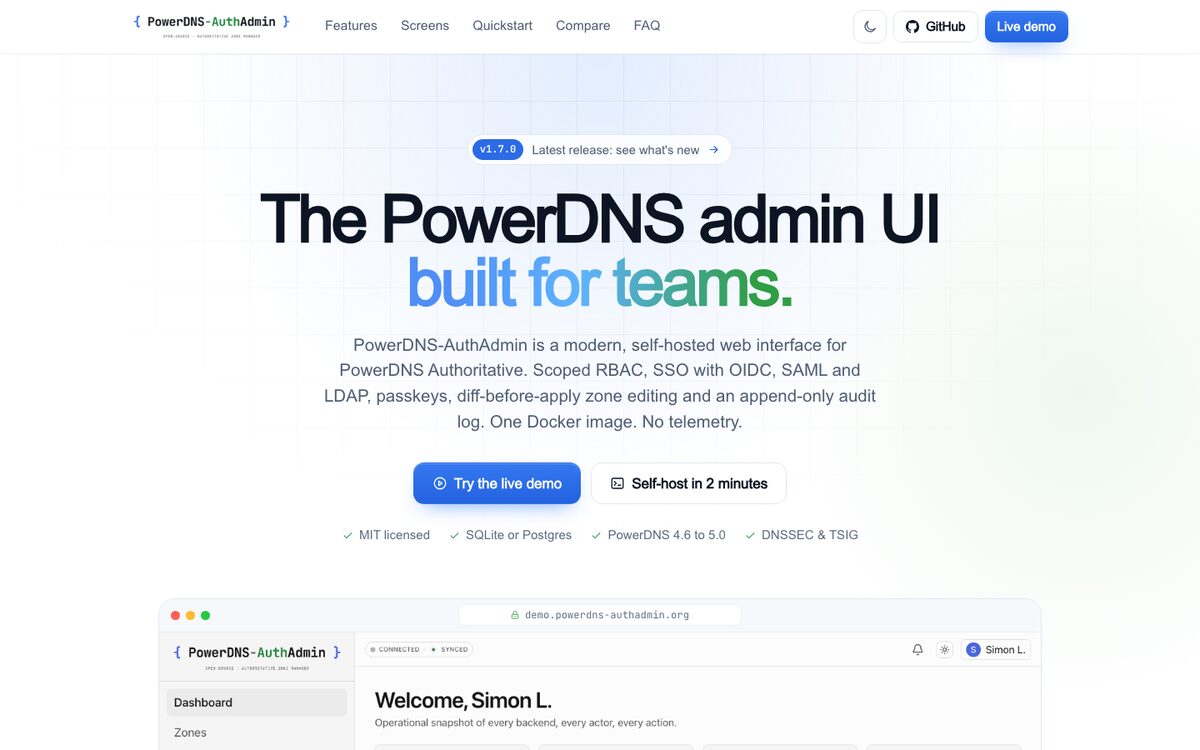
Home page of the PowerDNS-AuthAdmin website on a desktop browser
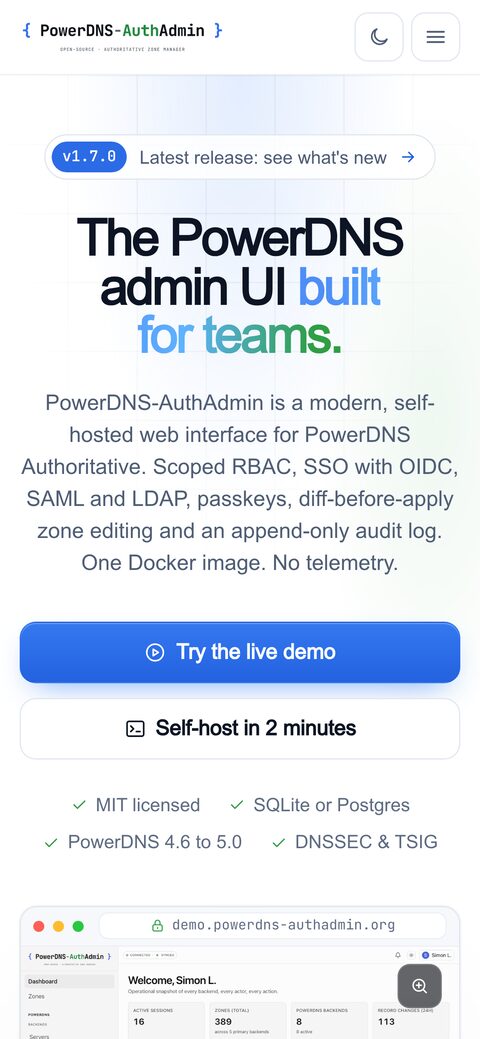
The PowerDNS-AuthAdmin website on a phone

An app that had outgrown its landing page

PowerDNS-AuthAdmin had a single hand-written landing page. DNS operators look for a PowerDNS web interface in a few predictable ways: "PowerDNS admin UI", "PowerDNS-Admin alternative", or a feature they need, such as single sign-on or role-based access.

The project's values had to show in the site itself: no telemetry, no CDN, fast, and simple for any contributor to build. Every claim had to come from the app's own README, docs or changelog, with the version number set in exactly one place.

The app has a built-in MCP server, so its audience already uses AI assistants. The site had to be easy for them to quote accurately.

The goals

  • Answer those searches with pages built for them: features, a fair comparison and an FAQ
  • Show the product with real screenshots and a live demo, not descriptions
  • Make it easy to try, with a quickstart you can copy in one click
  • Be quotable by AI assistants
  • Stay accurate, release after release

Blue braces, a green "Auth", dark first

The palette comes from the logo, a monospaced wordmark with blue braces and a green "Auth", and nothing else. A developer tool lives in terminals and dashboards, so the site is dark first, with a light theme that is a full equal.

Palette

  • #08090d Page, dark Near-black with a faint grid and two soft glows
  • #11141c Cards, dark Raised surfaces in the dark theme
  • #eceff5 Text, dark Body text in the dark theme
  • #4f8ef7 Brand blue The braces in the logo, accents
  • #2b6be6 Button blue Button fill that passes AA with white text
  • #38b84f Brand green Used sparingly: "Auth" and success states
  • #ffffff Page, light The light theme, with #f6f8fb for soft panels
  • #0d1524 Text, light Body text in the light theme

Blue as text uses its own tones per theme (#6fa8ff on dark, #1d5fd6 on light) so links pass contrast in both, and contrast is checked in both themes.

Typography

Everything readable

Inter

Weights 400 to 800, subset to the glyphs the site uses: 28 KB. Preloaded, with a metric-matched Arial fallback so a late font can never reflow the big headings.

Code, commands, versions

JetBrains Mono

For the quickstart, version tags and the monospaced accents that echo the logo. Subset to 14 KB.

An early version measured a layout shift of 0.10 on the comparison page from a late-loading font. The metric-matched fallback is why it is now zero.

Pages, screenshots and themes

A home page that shows the product

A release pill linking to the latest version, the headline, the MCP section, a feature grid, integrations, a screenshot showcase, the Docker Compose quickstart, a short FAQ and a closing call to action.

Features grouped by job

One long catalogue: access control, sign-in, zone editing, MCP, topologies, DNSSEC and TSIG, audit, operations and accessibility.

A comparison written as a guide

The PowerDNS-Admin page covers what to look for in a PowerDNS web UI, how to move across, and whether it is the right fit. It is not a hit piece.

Real screenshots, in your theme

Every screen captured in light and dark, on desktop and phone, as responsive WebP with fixed dimensions. The set that matches the visitor's theme is the one shown.

No flash of the wrong theme

A tiny inline script, allowed by a CSP hash, sets the theme before first paint. It follows the operating system until the visitor chooses, and remembers the choice.

Accessible controls

Showcase tabs with arrow-key navigation, a lightbox with keyboard and swipe, live labels on the theme toggle, and visible focus throughout.

No framework, no npm install

Plain HTML, CSS and a little vanilla JavaScript, generated by a zero-dependency Node script. Any contributor can clone the repository and build it in seconds, and it serves from any static host.

One source of truth

Version, release date, licence, supported PowerDNS versions and links live in one file. A release updates the hero pill, the footer, the structured data, llms.txt and the security.txt expiry together.

Copy as data

The feature catalogue and FAQs are structured content, each item backed by the app's own documentation.

Small and cacheable

Fingerprinted assets with long-lived caching and pre-compression, subset fonts, and logos for the inactive theme loaded lazily.

Nothing from a CDN

A Content Security Policy on every page with hashed inline scripts. The only third-party request is analytics, which the footer discloses with an opt-out.

1,000 checks per deploy

A static checker tests titles, descriptions, links, structured data and the security policy, plus HTML validation, on every push and before every deploy.

Open source too

The website's own source is public alongside the app's, so everything on this page can be checked.

  • Static HTML
  • Zero-dependency build
  • SoftwareApplication schema
  • Light and dark themes
  • WebP
  • CSP

Perfect scores, and nothing to install

  • 100Lighthouse performance, mobile
  • 100Accessibility, best practices and SEO
  • 1.0 sLargest contentful paint on mobile
  • 280 KBTotal home page transfer
  • 42 KBBoth fonts, after subsetting
  • 1,000+Automated checks per deploy

Lighthouse figures: mobile, live home page, measured 19 October 2026 (a single run; scores vary slightly between runs).

See it live: powerdns-authadmin.org

Questions about the PowerDNS-AuthAdmin website

Question not here? Ask an engineer →

Why is the PowerDNS-AuthAdmin website built without a framework?

It is a small, content-led site, and plain HTML generated by a zero-dependency script gives contributors nothing to install and visitors almost nothing to download. The home page scores 100 in all four Lighthouse categories on mobile and transfers about 280 KB.

How does the PowerDNS-AuthAdmin website stay in step with each app release?

The version, release date and supported PowerDNS versions are set once. The hero pill, footer, structured data, llms.txt and security.txt all read from that value, so a release means changing one line, rebuilding and redeploying.

Why does the PowerDNS-AuthAdmin site have a page comparing it with PowerDNS-Admin?

Many operators find the project by searching for an alternative to PowerDNS-Admin, so that page answers the question directly: what each does, what to look for in a PowerDNS web UI, and how to move across. It is written as a fair guide, so it is worth quoting.

How do the PowerDNS-AuthAdmin screenshots match a visitor's light or dark theme?

Every screen was captured in both themes, and the site shows the set that matches the current theme, which is set before the page paints. The screenshots are served as responsive WebP with fixed dimensions, so switching theme or loading on a phone never shifts the layout.

Did NGN build the PowerDNS-AuthAdmin app as well as the website?

NGN built the website. PowerDNS-AuthAdmin itself is an independent, MIT-licensed community project by The PowerDNS-AuthAdmin Contributors, and every claim on the website is taken from the app's own README, documentation and changelog.

More websites we have built

Italian deli & cafe · Narraweena

rose's continental deli

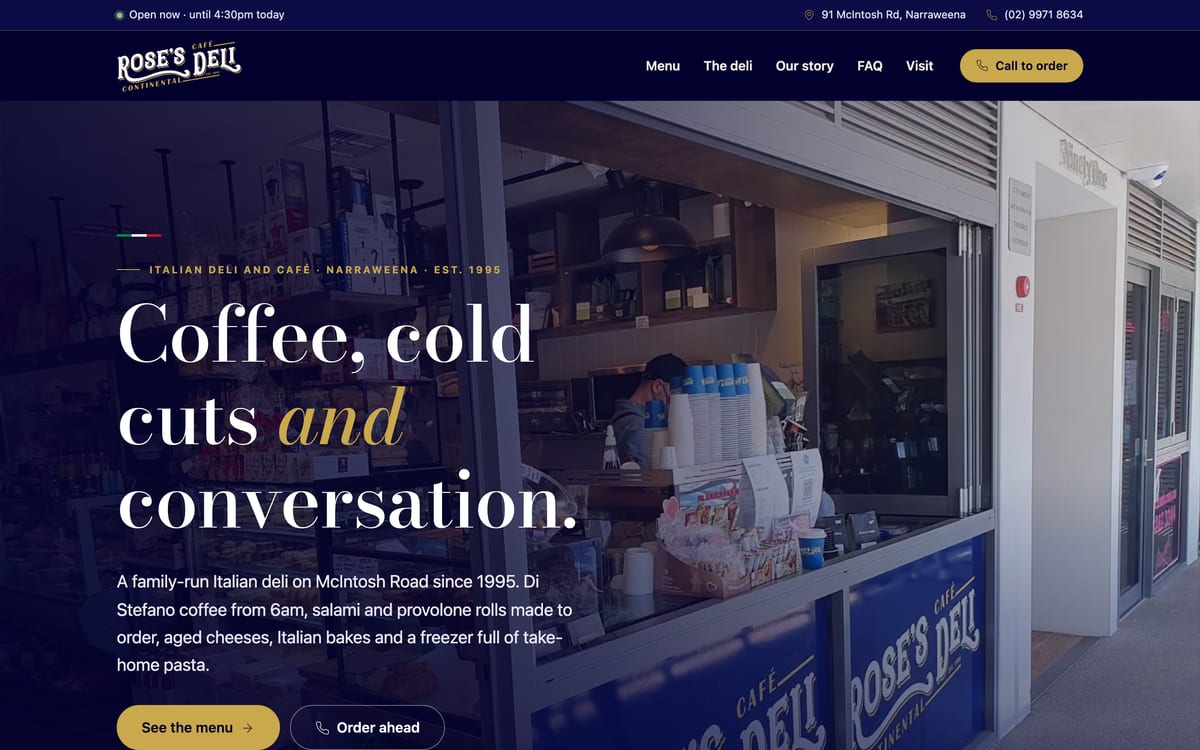
A first website for Rose's Continental Deli, in Narraweena since 1995: its navy and gold logo redrawn as vectors, a map drawn from OpenStreetMap in the brand colours, live Google reviews, and one structured-data entity that matches its Google profile.
Wedding & event florist · Sydney

flowers by drosia

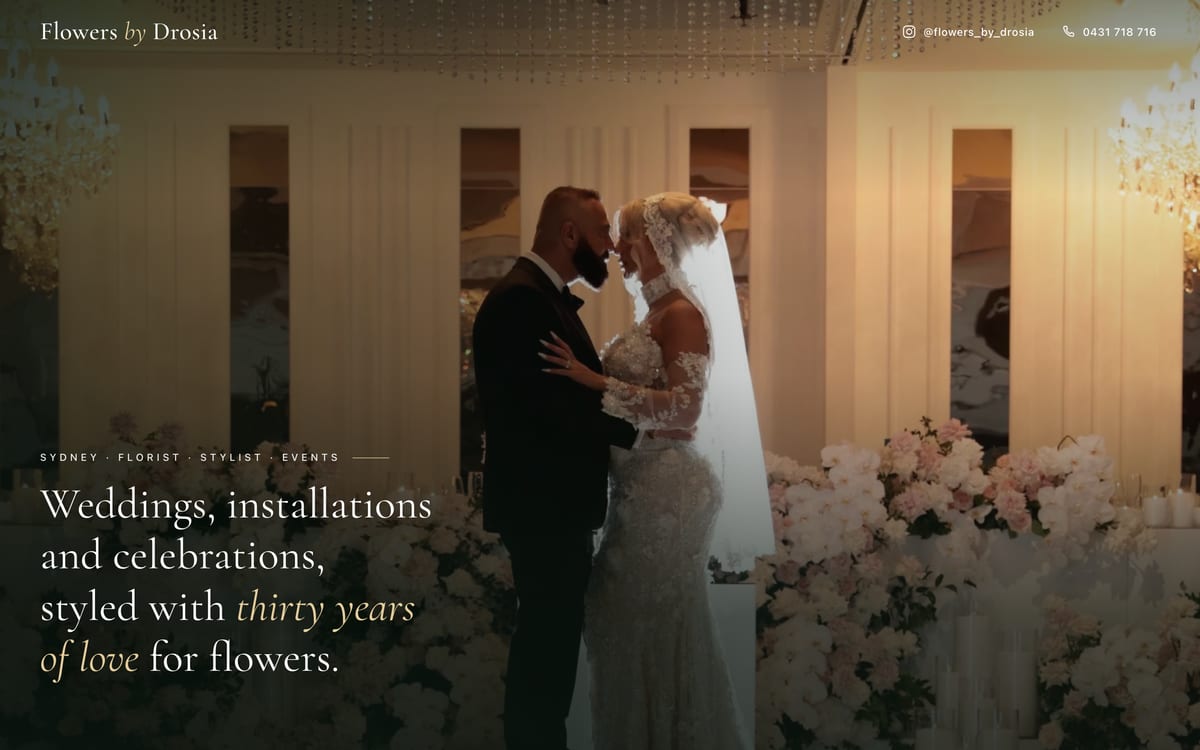
A photo-led single page for a Sydney wedding and event florist: an Instagram archive turned into a full-screen hero with phone-specific crops, collages that quietly swap photos, and a call-or-text dock in thumb reach.

Mobile detailing · Northern Rivers

northern rivers detailing

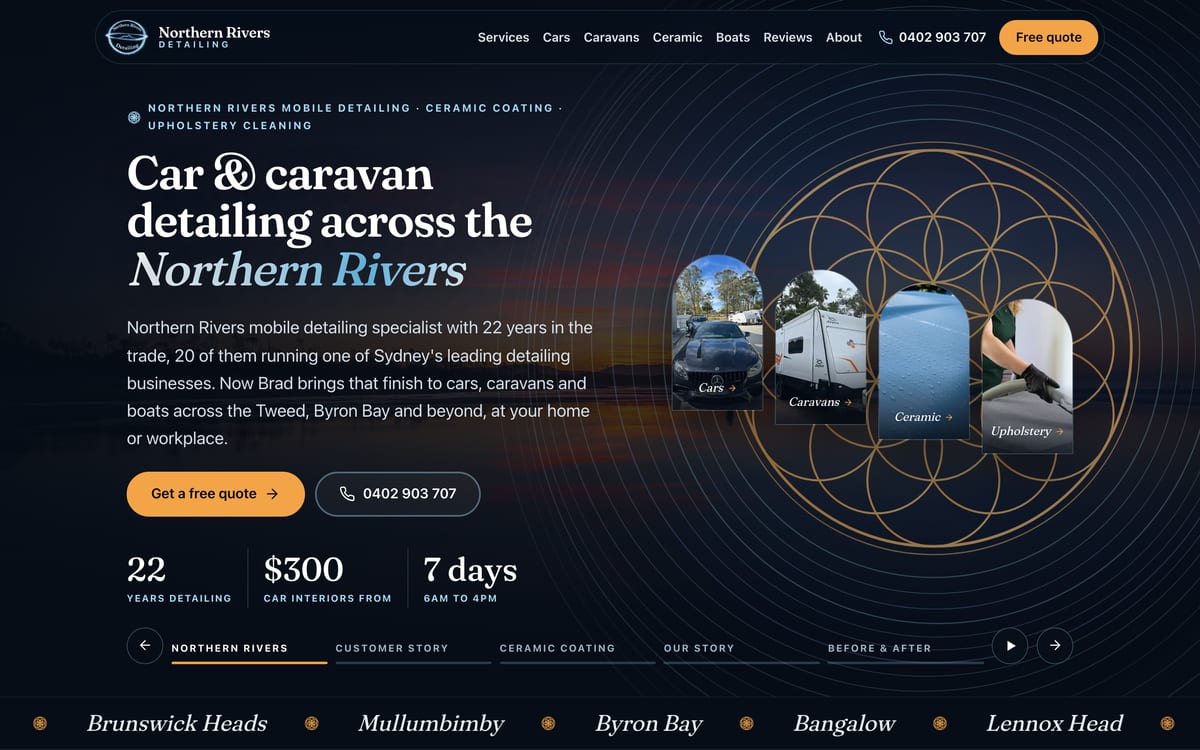
A Squarespace site rebuilt from the ground up: every ranking URL kept, a night-sky design taken from the owner's emblem, customer videos self-hosted with transcripts, and a "text a photo" button that turns a phone into a quote request.

See more of our work

What our clients say.

5.0 from 19 Google reviews

We have used Next Generation Networks for several custom solution projects that went well beyond the standard scope listed on their website. Every time, the team has been exceptional—genuinely enthusiastic about tackling complex challenges and consistently delivering solutions that exceed…

James Johnson View on Google

Great job updating our webpage and always very helpful.

Yvonne Barnes View on Google

The best, love these guys!!!

Pro Wet & Dry View on Google

Great internet and phone service, excellent customer service.

Fiori Mercuri View on Google

Our network dropped during peak hours. NGN redesigned our infrastructure with automatic failover redundancy after-hours with zero downtime. Flawless stability ever since!

Portia Goldstien View on Google

Read all 19 reviews Leave us a review

Want a website like this one?

Tell us about your business and your current site. We'll come back the same business day with an honest assessment and a plan.

Australia

1300 096 253

International

+61 2 8287 3300

Location

Sydney, NSW, Australia

Hours

Open 24 hours, 7 days

Send us a message

We reply the same business day

This site is protected by reCAPTCHA and the Google Privacy Policy and Terms of Service apply.